

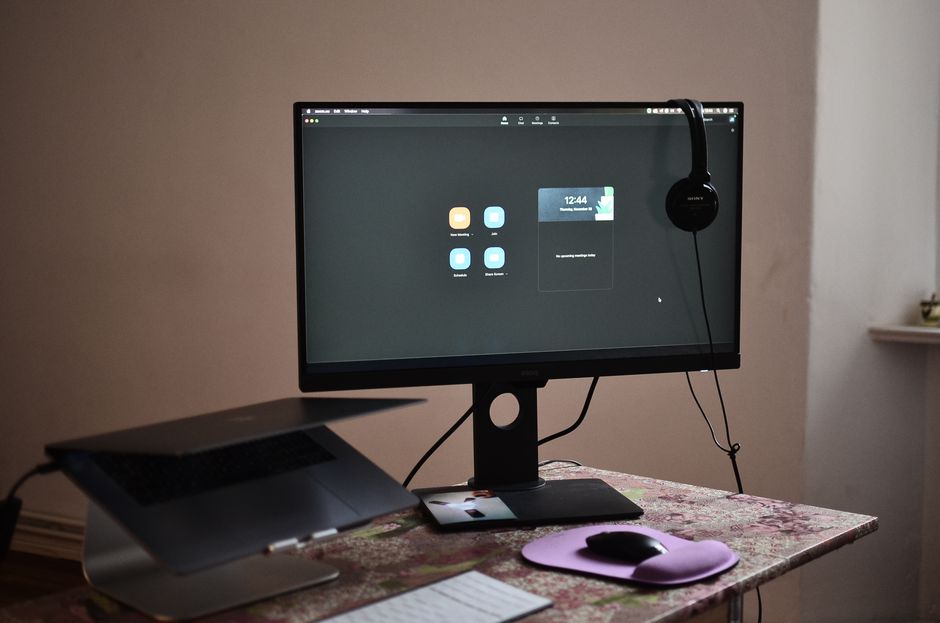
Starting a remote job can feel like stepping into a new country—you know the language, but the customs are unfamiliar. The first weeks rarely go exactly as planned, and that’s okay. What matters is knowing which digital tools your new team relies on and how to use them professionally. Below is a practical guide to the remote-work toolkit that most new hires need to master quickly. Treat it as a checklist, not a lecture; pick what matters for your role and skip the rest.
💡 Remote Tool Mastery Roadmap
- Asynchronous First: Master documentation in Notion and Loom to reduce unnecessary meetings.
- Communication Hygiene: Organize Slack threads cleanly and use status indicators effectively.
- Learn how to set up your home workspace properly in our Remote Ergonomics & Setup Guide.
Why Tool Fluency Outperforms Technical Skill Alone
Your employer hired you for your experience and potential, not for perfect software knowledge. Yet the fastest way to earn trust is to show up on your first Monday ready to contribute, not to learn the basics of video calls. Companies choose specific tools to keep communication fast, projects visible, and work auditable. When new hires ask, “Which app do I use for this?” every time, they slow down the team. Aim to reach a level called basic competence—enough to avoid blocking others—within your first 14 days.
Core Communication Stack: From “Good Morning” to Deep Work
Most remote teams use a layered stack: instant messages for quick questions, scheduled calls for context, and async posts for decisions. Learn the defaults for each layer before mixing tools.
Step 1: Chat (Choose One Primary App)
- Slack – Channels replace open-plan desks. Create a habit: send a short “Hello” in the correct public channel within the first hour.
- Microsoft Teams – If your company uses Office 365, Teams integrates calendars, files, and calls in one window.
- Discord – Common in gaming and creative teams; treat it like Slack but expect more emoji shortcuts.
Step 2: Voice and Video Etiquette
- Camera on when expected: Use video for onboarding, team rituals, or when you need to read faces. Turn it off during solo work or when bandwidth is poor.
- Mute by default: Press the mute key on every call until you’re speaking. Background noise kills focus.
- Use “raise hand” or chat indicators instead of interrupting. Save interruptions for genuine emergencies.
Step 3: Calendar Discipline
Block focus time on your calendar as soon as you see it. Label blocks clearly (“Deep Work – Do Not Book”). If your team uses Google Calendar or Outlook, accept invites promptly and add video links to your signature so colleagues can join without digging.
Project Tracking: Visibility Without Micromanagement
Remote teams trade hallway chats for visual boards. Learning the board should take under 30 minutes.
Step 1: Pick a Default System
- Trello – Simple Kanban boards with lists like “To Do,” “In Progress,” “Done.” Drag cards to show status.
- Asana – Tasks, timelines, and approvals in one view. Good for cross-team projects.
- Jira – Software teams love it; start with the “Scrum” template if you’re new.
Step 2: Daily Habits That Keep You Visible
- Update ticket status before lunch and before you log off.
- Add one-sentence comments when you move a task to “Done.” Example: “Fixed typo in footer, verified on mobile.”
- If blocked, tag the owner with “@name” and attach a screenshot. Avoid vague messages.
Step 3: Async Stand-ups
Some teams replace daily calls with written updates. Format yours in three bullets:
- What I did yesterday
- What I’ll do today
- Blockers or questions
Send it in the team Slack channel or Asana timeline by 10 a.m. local time.
Documentation: Your Remote Office Library
Every company has a hidden knowledge base. Spend the first week mapping it.
Step 1: Find the Source of Truth
- Notion – All-in-one wiki, databases, and docs. Look for the “Onboarding” page first.
- Confluence – Structured like a corporate intranet. Use the search box; don’t scroll forever.
- Google Drive / SharePoint – Folder names like “HR Policies” or “Engineering Standards.”
Step 2: Create Your Personal Handbook
Open a blank doc or page titled “My Remote Toolkit.” Paste links to:
- Team calendars and holidays
- Preferred response times (e.g., “Reply to Slack within 2 hours, email within 24”)
- Escalation paths (who to ping for payroll, tech, or HR)
Step 3: Leave Traces for Your Replacement
If you ever leave, good notes help the next hire ramp faster. Log decisions in the same place you found them—Notion, Confluence, or an internal blog—so others can follow your logic.
Security and Privacy: Avoid the First-Timer Mistakes
Remote work turns every living room into a potential breach point. Treat security as part of your job, not an afterthought.
Step 1: Password Manager Setup
- Install Bitwarden, 1Password, or Keeper. Let it generate strong passwords and store your work logins.
- Enable two-factor authentication (2FA) on every work account. SMS is better than nothing; an authenticator app is better still.
Step 2: Device Hygiene
- Lock your screen when you step away, even for a coffee break.
- Use a VPN if your company provides one; it hides your traffic from public Wi-Fi snoops.
- Keep work files in company-approved storage (Google Drive for Business, OneDrive, etc.). Avoid saving sensitive docs to personal Dropbox or desktop.
Step 3: Phishing Awareness
Fake “urgent” emails and Slack messages are the top risk. Pause before you click. Hover over links to see real destinations. Report anything suspicious to IT immediately.
Time Management Tools: Protect Focus in a Distraction-Rich World
The biggest myth about remote work is that it’s flexible. What it really is: self-directed. If you don’t guard your attention, others will gladly fill your calendar.
Step 1: Time-Blocking Apps
- Clockwise or Reclaim.ai – These tools automatically reschedule meetings to protect focus blocks.
- Toggl Track – Log time against tasks; useful when your payroll system needs proof.
Step 2: Distraction Blockers
Install one of these on day one:
- Freedom – Blocks distracting websites and apps across all devices.
- Cold Turkey – More aggressive; useful for deep work sprints.
Step 3: The Two-List System
Use a single note file (Notion, Apple Notes, or a paper pad) with two lists:
- Today: 3–5 must-do tasks that move the needle.
- Maybe Later: Everything else. Review every Friday and move what’s still relevant to “Today.”
Building Rapport Remotely: Small Gestures, Big Impact
Remote teams can feel transactional. Counter that by adding human touches without overdoing it.
Step 1: Video Call Rituals
- 5-minute icebreakers before serious topics. Share a one-sentence highlight from your weekend.
- Camera eye contact: Look at the camera lens, not the faces on screen. It feels unnatural but makes you appear engaged.
Step 2: Async Recognition
Praise in public channels. Example:
“Thanks to @Alex for catching the typo in the API docs—saved the team a late-night fix.”
This costs nothing but builds goodwill.
Step 3: Virtual Coffee or Walk-and-Talk
Propose a 15-minute video coffee with a teammate once a month. Keep it optional; some people prefer text.
Troubleshooting Your First Remote Week
Expect bumps. Use this quick guide when things go sideways.
Problem: You Can’t Find a File
Action:
- Type the filename into Slack’s search bar and ask, “Where is the Q3 QBR deck?”
- If no answer, check Notion’s “Files” database or the shared Drive folder named “All Hands.”
- Ask your manager for the “File Naming Conventions” doc.
Problem: Your Laptop Keeps Freezing
Action:
- Restart before you complain. Many IT tickets resolve themselves this way.
- Check your VPN; disconnecting often speeds things up.
- Call the IT Slack channel with exact error messages. Screenshots help.
Problem: You Missed a Meeting
Action:
- Watch the recording if one exists.
- Ask for the key takeaways in chat: “Can someone summarize the budget decisions?”
- Update your “My Remote Toolkit” doc with the new info.
Closing Checklist: Ready for Day 15
Print this or save it as a note. Tick each box before your two-week mark.
- Communication: I can send a clear Slack message in under 30 seconds.
- Meetings: I know how to join, mute, and share my screen on the company’s video app.
- Projects: I’ve updated at least one ticket today and left a comment.
- Documents: I’ve bookmarked the team handbook and the file-naming guide.
- Security: My laptop locks automatically after 5 minutes of inactivity.
- Focus: I’ve blocked two 90-minute focus periods this week.
- Rapport: I’ve praised one teammate publicly and thanked my manager in 1:1 chat.
The first remote job is equal parts exciting and humbling. Tools are just the skeleton; culture and curiosity fill in the rest. Master the basics, stay curious, and you’ll earn your place faster than the person who waits to be told what to do. Your new team will notice the difference.
“`
| Tool Category | Industry Standard Software | Primary Use Case |
|---|---|---|
| Communication | Slack, Microsoft Teams | Real-time & thread-based team discussions |
| Documentation | Notion, Confluence | Centralized company wiki & project specs |
| Async Video | Loom, Grain | Screen recordings & walk-through demonstrations |
Mastering Remote Work Collaboration: Beyond the Basic Tools
Knowing which tools your remote team uses is only the first step. What separates high-performing remote employees from average ones is the discipline of async-first communication. This means defaulting to written, documented updates over real-time meetings wherever possible — reducing meeting fatigue while increasing team-wide transparency.
Building Good Remote Work Habits
Establish a daily rhythm with a consistent start time, a brief written standup message in Slack (even if meetings are minimal), and a documented end-of-day task summary. This creates a visible work record that builds trust with remote managers who cannot physically observe your output. Over time, this habit becomes your professional brand as a reliable, transparent remote contributor.
Staying Visible and Getting Promoted Remotely
Remote workers face an “out of sight, out of mind” career risk. Combat this by proactively sharing wins, contributing to company-wide Slack channels, and scheduling monthly one-on-ones with your direct manager. According to research from Stanford economist Nicholas Bloom, remote workers who manage their visibility strategically are just as likely to receive promotions as in-office employees. Learn how to build your professional profile effectively in our LinkedIn Optimization Guide.
Evaluating New Remote Tools Strategically
Remote work technology evolves rapidly, and companies regularly adopt new platforms. Developing a systematic approach to learning new tools quickly is a high-value skill in itself. When your team adopts a new platform, start by exploring the official help documentation, then look for community tutorials on YouTube or the vendor’s own training portal. Most modern SaaS tools have interactive product tours that teach core functionality in under 30 minutes.
More importantly, understand the purpose behind each tool in your stack. Slack is designed for rapid async conversations, while Notion is built for structured documentation. Confusing these purposes — for example, posting long-form project documentation in Slack — creates friction for your teammates. Aligning your tool usage with its intended design makes you a more effective and respected remote collaborator. Build on this skill by also mastering your physical remote setup with our Remote Work Setup Guide.
For an up-to-date comparison of remote collaboration platforms, G2’s Project Management Software Reviews provides verified ratings from real users across all major tools covered in this guide.
❓ Frequently Asked Questions
Do I need to learn all remote tools before starting a new job?
No. Focus on mastering the primary communication tool (usually Slack or Teams) and project tracker (Jira, Trello, or Asana) first. Ask your manager for a full tech stack list during onboarding.
How do I stay visible as a remote employee?
Post regular async updates in team channels, contribute to non-work Slack channels, and schedule monthly one-on-ones with your manager and key stakeholders.
What is the most important remote work skill for new hires?
Clear written communication. Remote work relies almost entirely on text-based exchanges — being able to write concise, context-rich messages is the single highest-value skill for remote professionals.
🎯 Build Your Remote Tech Stack Today
Remote work tools are the infrastructure of your career. Mastering them is not optional — it is the baseline expectation for any professional working outside a traditional office. Start with your communication and documentation platforms, and layer in additional tools as your role demands.
🎯 Build Your Full Remote Setup
Remote tools are the infrastructure of your career. Mastering them is the baseline expectation for any professional working outside a traditional office.
